An editor changes data in a particular context; a naming modification is a different data source. Keep the version, intended use and original record visible before changing a save or files.
Reviewed against sources available on 11 November 2026. Game status, player snapshots and screenshot versions are separate; see each source and image caption.
Start with the context you intend to change
The FM27 additional-upgrades feature confirms a redesigned In-Game Editor with a fuller-screen presentation, clearer active-tab signifiers and editable-field tooltips. That is evidence about the tool’s presentation and navigation. It is not evidence that every field, permission or workflow from another edition has been preserved unchanged.
Separate changes to an existing save from changes intended for a future career or a third-party naming dataset. A name shown differently in one source does not establish the underlying identity or club data has changed in every game context. Decide which record you want to affect and inspect the supported options in the edition you actually use.
| Task | Check before acting |
|---|---|
| Edit an existing save | The current editor’s editable fields and supported context |
| Prepare data for a new career | The tool and dataset version described by its publisher |
| Change naming presentation | The modification’s documented edition and data scope |
| Compare a published profile | The original source snapshot, not an edited live-world assumption |
A real-name modification is not an official database update
A third-party naming modification should be evaluated against its own documentation, supported edition and intended effect. This page does not distribute a patch, claim permission to reuse a logo pack or guess a complete set of FM27 installation folders. Use an actual publisher’s instructions for a specific modification rather than a generic path copied from an older release.
Keep original files and a save copy before making changes so that you can identify what was altered. Record the modification and version in your notes when comparing screenshots or player data. Otherwise an edited display can be mistaken for evidence that a new official database revision has been released.
Keep source facts separate from local edits
The wiki’s reference profiles retain the names and clubs in their own snapshot. A local naming preference or a current real-world transfer is not silently merged into that older record.
Check the edition before troubleshooting the interface
SEGA now publishes FM27-specific editor troubleshooting. Match FM27 with its FM27 editor and the purchase account before investigating a missing tool. This replaces our older FM26-example reference; it does not certify every storefront’s editor workflow.
Keep the edition, storefront, save and intended field with any support report. Use the two tool-specific sections below rather than treating a pre-game database edit, an active-save edit and a naming modification as the same operation.
Pre-Game Editor: prepare a separate future career
The SI launch notice places the Pre-Game Editor alongside the 10 November PC/Mac release. Its purpose is to prepare database changes before a new career, rather than modify the active match or silently update the wiki’s historical records. Confirm that the tool and game both identify FM27. Keep a separate copy of your work and record the base database revision before making changes.
Installation and file-location details must follow the instructions for your storefront. We have not independently opened every storefront’s release tool or validated an FM27 editor-data folder, so a remembered FM26 path is not offered as a tested installation guide. After creating a small change, start a separate test career and inspect the intended record before using the file for a long save. Keep the original dataset available to distinguish your edits from an official database update.
In-Game Editor: change an active save with the matching product
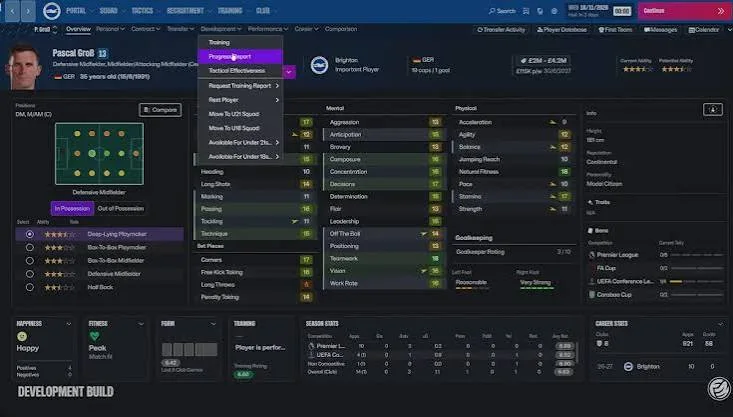
The FM27 Steam DLC page confirms that the editor requires the base game and an active loaded save. It describes editable player attributes and current/potential ability, alongside club changes. Those capabilities do not make edited values official database evidence. Treat the existing official development image as an interface reference; the wiki has not tested every release-version editable field.
For a missing editor, SEGA’s FM27 support page says to check the matching editor edition and purchase account first. Owning the game and editor on different accounts is not the same entitlement. Preserve a save copy, confirm the active career and inspect the tooltip for the exact field before applying an edit. Do not assume a platform or save permits editing because another one does. Specific enablement controls and storefront restrictions still require the current product’s own evidence.
Sources & verification
Article reviewed on 11 November 2026. Each source has its own verification date. Guidance is editorial analysis unless explicitly attributed to an official announcement.
- Official source2D Match Engine, In-Game Editor and Deeper World UpgradesReviewed 1 November 2026
- Official sourceSteam — FM27 In-game EditorReviewed 11 November 2026
- Official sourceSEGA — FM27 editor troubleshootingReviewed 11 November 2026
- Official sourceSports Interactive — FM27 is live across platformsReviewed 11 November 2026
- Official sourceSI Community Team — launch notes and first post-launch planReviewed 11 November 2026